
Answering Emails with AI: Drafts Built on Your Company's Knowledge
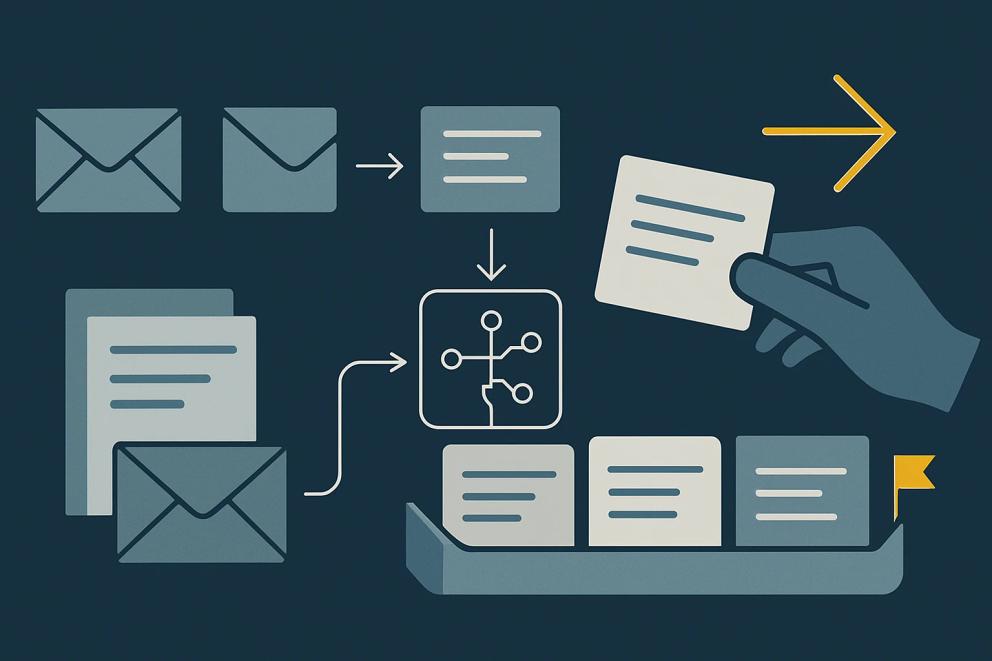
The same question arrives for the third time this week, just from a different customer. When is the approval due, is installation included in the price, when will the delivery come? The answer exists somewhere in the company, in the order, in the price list or in a colleague's head. Still, someone writes it from scratch every time, because it depends on this customer's order, and they write it between two appointments or in the evening.
An AI tool can prepare such answers as drafts if it receives the right documents for exactly this kind of request. For now, a person should send them.
We show this with two workflows that already run. At a CNC automation manufacturer, an AI sales assistant we built writes email drafts, which a salesperson reviews and sends from Outlook with one click. In our own mailbox, agents process incoming supplier invoices according to a recorded working method. Neither workflow answers customer requests, and we cannot yet show a client case that does. Both contain the three things a reply draft depends on, however: a clearly bounded kind of email, written-down knowledge and a check before every step that changes something.
One category instead of the whole mailbox
The assignment for our agent was narrow. It covered the supplier invoices of one specific day in the exact Outlook inbox, with fixed rules for which attachments count as an invoice, where the file belongs and when an email may be moved. That narrowness made the result checkable. At the end, the agent reported that no invoice for the period remained in the inbox, and that report could be verified.
The same applies to reply drafts. Start with a single category, such as requests about delivery dates, questions before an installation or the recurring questions from one supplier. One category keeps the documents small enough for one person to know them completely. It makes the drafts comparable, because similar cases arrive every week. Above all, for one category someone can say what a good answer looks like; for "any email", nobody can.
A category suits a first attempt when these four points apply.
- It comes up every week, and the answers are similar without being identical.
- The answer follows from documents that already exist in the company.
- A weak draft does not reach the recipient unchecked, because someone reads it before it is sent.
- Someone in the company can say how they recognise a good answer.
If the answer is the same in every case, you do not need AI. If the rule for all cases fits in three sentences, a text snippet in Outlook or a fixed automation is enough, and both are cheaper and easier to check. An AI tool pays off where the question sounds the same and the answer differs from one customer to the next. Complaints, price negotiations and anything containing a legal statement stay out of the first attempt.
What belongs in the documents
With the AI sales assistant for the CNC automation manufacturer, the knowledge came before the first draft. The company's product knowledge was captured in a structured form first, including camera-based part recognition, short changeover times and the retrofitting of existing CNC machines. Only then did the system write drafts. Today they name the machines found on the prospect's own website, and they adapt the argument to the contact's role, differently for management than for production management. A draft becomes this specific only because the knowledge behind it is written down.
For one category of your incoming email, we recommend documents in six parts. Together they form the AI context for this one category, and each part is a short document that someone in the company maintains.
- The services, meaning what the relevant quotation or order includes and what is charged separately.
- The current facts, such as delivery times, deadlines and rules that apply right now.
- The house tone, ideally as three real earlier replies that the person responsible considers good.
- The reply rules, for example that every answer ends with the name of the person responsible, always gives a deadline as a date and notes below the draft which document a statement comes from.
- The permitted sources, meaning the customer's order, the service description and the current information sheet. Anything that exists only in an old email thread does not count.
- The cases the draft does not answer itself, such as extra costs, date changes and any complaint. For these, the tool writes no reply text; it flags the email for the person responsible and summarises what it is about.
The sixth part matters most. Researchers at Google showed at a conference in 2025 that language models rarely notice a gap in their material and answer anyway. One model they tested answered 10.2 % of questions incorrectly with no material at all and 66.1 % with incomplete material. The measurement used English knowledge questions rather than business correspondence, so the figures do not transfer to your customer requests. The direction is still enough for a rule. Where the documents do not cover a question, the tool should hand it back instead of guessing, and it needs the list of hand-back cases to do so.
Drafts that a person sends
At the CNC automation manufacturer, no draft goes out unchecked; a salesperson reads it and sends it from Outlook with one click. Our own prospecting follows the same rule: agents research and draft, and our founder sends every outward message himself. In our delegation map, this is the level at which AI drafts and a person releases. For replies to incoming email, we recommend the same level for the first attempt. That costs time at first and shows how well the drafts hold up in daily work. Which category may later run without release, you decide on evidence from daily operations; plain information on deadlines would be a more likely candidate than anything that touches money or a customer's date.
"The drafts our agents prepare wait for me in a queue, and I send every outward message myself. I set aside 15 to 20 minutes a day for reading and sending, grouped by channel. For that, every draft comes with a short card: who the contact is, why we are writing and which channel is permitted. When I have to rewrite a draft, the reason goes into the instruction, so that the next one already knows it," says Sebastian Behler, founder of CERTAINCE.
Where a correction goes afterwards matters more than any single correction. For our incoming invoices, every gap that a review found after an agent's first run has since sat as a rule in the instruction and applies to every run. Reply drafts work the same way. If the person responsible changes a deadline in a draft because it has moved, the new deadline belongs in the information sheet, or tomorrow's draft will repeat the old one.
For the first weeks, keep a short tally for every draft with three columns.
- Sent as drafted.
- Sent with corrections, plus one sentence on the reason.
- Rewritten, also with the reason.
After a few weeks, the tally shows whether the corrections are decreasing and which document is missing. Whether they fall far enough in your company to justify a permanent setup, we cannot tell in advance; the attempt answers exactly that.
The existing tool or a connection to Outlook
To begin with, the tool you already have is enough. In both Claude and ChatGPT you can store documents and standing instructions in a project, and every conversation inside it can draw on them. The person responsible copies the email in, receives a draft and moves it into Outlook after checking it. It is manual work, and it shows without any setup whether the drafts are any good.
A connection pays off when the copying itself becomes work or when the answer needs data from another program, such as the order in the ERP system. Even then, access stays narrow. The tool reads only the folder or shared mailbox for this category and places its replies in the Outlook drafts folder; it cannot send. That limit belongs in the connection itself, as a rule in the tool rather than a request in the chat, because not every tool follows an instruction in the prompt equally reliably. For the AI sales assistant, a dedicated Outlook integration brings the finished draft into the mailbox; there, the connection was part of the software we built.
Which emails may go into an AI tool at all depends on what you have agreed with the provider: the plan, the data processing agreement and the settings. An AI policy for your company settles that once for everyone. For the first attempt, a few real, anonymised examples are enough.
That keeps the first attempt small: one category, six short documents and one person responsible who sends every answer. After a few weeks, the tally shows whether a connection to Outlook is worth it or whether the project in Claude or ChatGPT is enough.
If the drafts are to appear directly in Outlook, that is a step of the setup: where your mail setup, access rules and data policy allow it, we connect the tool to your mailbox, and a named person releases every reply. If it is unclear beforehand whether the drafts hold up in daily work, we first test one category in a paid pilot with your examples.
Which AI can answer emails?
Claude, ChatGPT and Microsoft Copilot can all write reply drafts. For recurring business correspondence, quality usually depends less on the tool than on the documents it receives for each kind of request, such as services, current facts, earlier replies as models and the cases it hands back to a person. So start with the tool you already have.
How can I have an email answered automatically?
For answers that are always the same, an out-of-office message or a text snippet in Outlook is enough. For requests whose answer depends on the case, we do not recommend automatic sending at the start. The AI tool writes drafts, and a named person reviews and sends every reply. You decide on evidence from daily operations whether individual categories may later run without release.
How can I answer emails with ChatGPT?
Store the documents for a single kind of request in a ChatGPT project, such as three good earlier replies, the current deadlines and the cases ChatGPT should not answer itself. Paste the email in and have it write a draft, which you send from Outlook only after checking it. Every correction then goes back into the documents so that the next draft knows it.
Bring three to five typical emails from one category, anonymised if you prefer: Discuss a concrete workflow.