
AI Software Development: Build Faster Without Losing Control
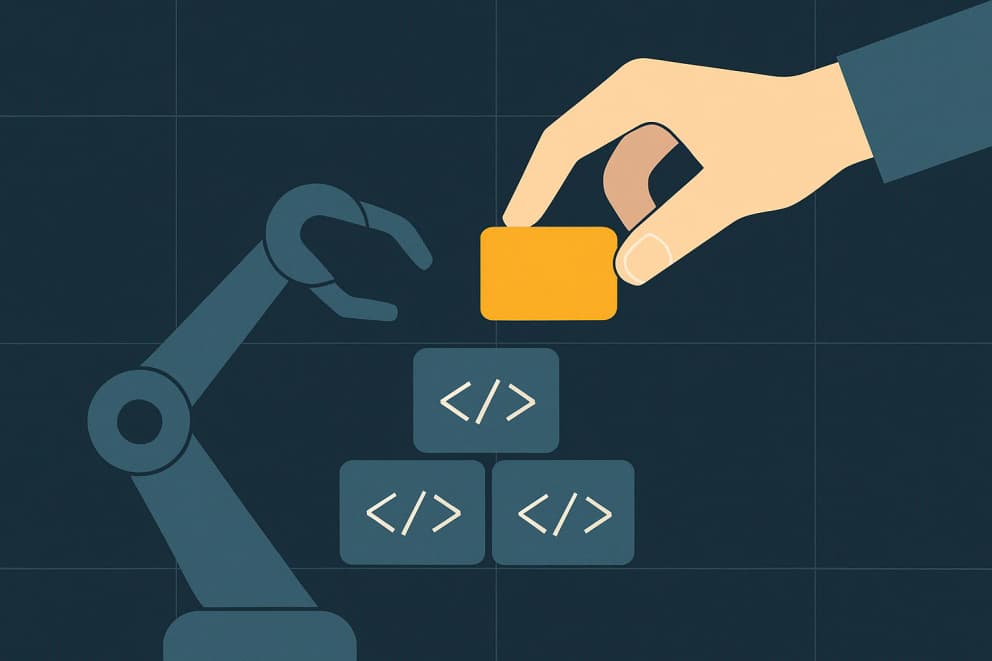
AI can put the first version of an application in front of your team much sooner. Instead of commenting on a description, people can try the workflow and point to what is missing. An abstract discussion becomes a click-through that people can test.
Speed is only the means. The aim is for your team to get more done with the people it has, with less work waiting on one person. The workflow determines whether that calls for a business app, an AI agent or both.
Speed alone does not make a product. Without architecture, tests and clear responsibility for the data, disorder arrives faster as well. The difference between an impressive demo and software a business can rely on every day lies in the engineering around the generated code. That is what this article covers.
Two very different studies show why development speed cannot be treated as a fixed property of AI. In a randomized METR study, 16 experienced open-source developers took 19 % longer across 246 tasks when using early-2025 tools. Google's vendor-affiliated 2025 DORA report, by contrast, finds positive associations with throughput and product performance in survey data, but a continuing negative association with delivery stability. The samples, methods and tool generations are too different to declare a winner. Together they support the more important point: task shape, repository knowledge, tests, review and the delivery system all matter.
What AI accelerates well
AI is strongest where there are many known patterns and fast variants help. It delivers a first draft that a developer reviews, sharpens and takes responsibility for.
- Prototypes, forms, lists and first workflows you can try immediately.
- Interface and interaction variants, so you see the better option instead of guessing.
- Test data, validation and simple integrations between existing systems.
- Documentation, refactoring and recurring technical routine.
The same draft-and-review pattern also applies inside the product. XPO Inventory draws that line tightly. An AI photo prefill helps when an article is created. It suggests a name, description, color, category and unit from a photo. Dimensions and quantity remain manual because wrong values would affect the inventory process directly. The published XPO Inventory case study documents that boundary.
Where speed turns into disorder
The same speed sends an unstructured project into disorder faster. AI tools tend to solve the task directly in front of them. They may write a new helper function or component even though the project already has a place for that logic, simply because the relevant context was missing. The result works at first, which hides the problem. As more changes arrive, the code becomes harder to maintain, duplicate components accumulate and data models drift apart. Eventually nobody is confident enough to delete anything. This is rarely an AI problem. It means nobody defined the rules within which the tool should work.
What turns speed into reliable software
Control comes from deliberate decisions made by people. AI can then work reliably within them. These decisions are the real value:
- Architecture and data model. Where do the data accesses live, where the business logic, and does the chosen structure actually represent the process correctly?
- TypeScript and type checking. Clear types catch wrong assumptions before they surface in production.
- Tests, at all three levels, from the single calculation up to the workflow played through end to end.
- CI/CD. Every change runs the same checks and can be rolled back traceably when it turns out not to hold.
- Permissions. Who may see and change what is the question where AI output deserves the most careful review.
These elements make the initial speed sustainable. A narrow tech stack helps as well. Once the framework, data access and test strategy are fixed, AI can follow known patterns instead of inventing a new approach each time. How to Stay in Control When AI Writes Code explains how to set those limits in practice.
The XPO example turns the framework into a delivery decision: AI drafts only where a person can easily review and correct the suggestion, while inventory-critical values stay in the controlled input flow. The documented implementation gives a concrete rule: use speed where the cost of an error stays bounded, and keep the reliable business logic around it entirely AI-free.
People decide, AI accelerates
Productive work with AI needs a clear division of roles. People define the goal, architecture, data model, security requirements and acceptance criteria. AI helps with design, coding, refactoring and explanation. In the end, a person must understand, review and take responsibility for the code.
What matters is the right amount of review. AI agents can take on whole tasks autonomously, in steps, within defined tools, permissions and tests. In research, analysis and development, AI accelerates people who still exercise judgment; it does not replace them. Review should concentrate where context is missing, especially around ambiguous business rules, permissions and plausible-looking output that solves the wrong problem.
When an agent is enough and when custom software joins
An agent takes on whole tasks, in steps, within its tools, permissions and tests. It reads, researches, reconciles and presents a result. Anything binding waits for a person's approval, while small, reversible steps run automatically and are spot-checked. For many tasks an existing tool with a good work instruction is enough. Custom software becomes relevant when authoritative data, several responsibilities, connections to other programs or external users need one shared foundation. Both paths stand side by side, and the workflow decides which one fits.
You own the code
Whatever AI accelerated should still remain in your ownership: tested and documented well enough for another developer to continue the work. You can then ask someone else to implement the next change.
Does AI replace software development?
No. AI accelerates design, code and routine, but architecture, data model, security and the question of whether the right problem is being solved remain human decisions. AI delivers suggestions faster inside a system that people deliberately design and own. It helps with coding, refactoring and explanation.
Can AI-built code go into production?
Yes, when the review matches the risk. Type checking, tests and a traceable deployment apply to every change, and an independent AI agent reads the code before it is merged. Where payments, sign-in, permissions or stored data are involved, we also require tests that pin the visible behavior. A change goes live only when a person has approved exactly that version.
Should we build with AI ourselves or have it built?
For small, internal and non-critical tools, trying it yourself often makes sense. Once software becomes business-critical, involves several users and sensitive data or has to run for years, engineering discipline determines the total cost. Our comparison of custom and off-the-shelf software sets out the decision criteria.
How much human review does AI code need?
As much as the missing context demands. Syntax, types and data shape can be checked automatically; business rules, permissions and the product question need human judgment. Critical workflows need careful review, while low-risk routine work needs less. Review should concentrate where context is missing or plausible-looking output solves the wrong problem.
When you own the code and another developer can take it over, you keep your options open after the first project. The detailed guide, How to Stay in Control When AI Writes Code, explains how to preserve that control.
If you want a first version built at AI speed and want to know beforehand which checks and which data model come with it, talk directly to the developer.