
Custom Software vs. Off-the-Shelf: When Building Your Own Pays Off
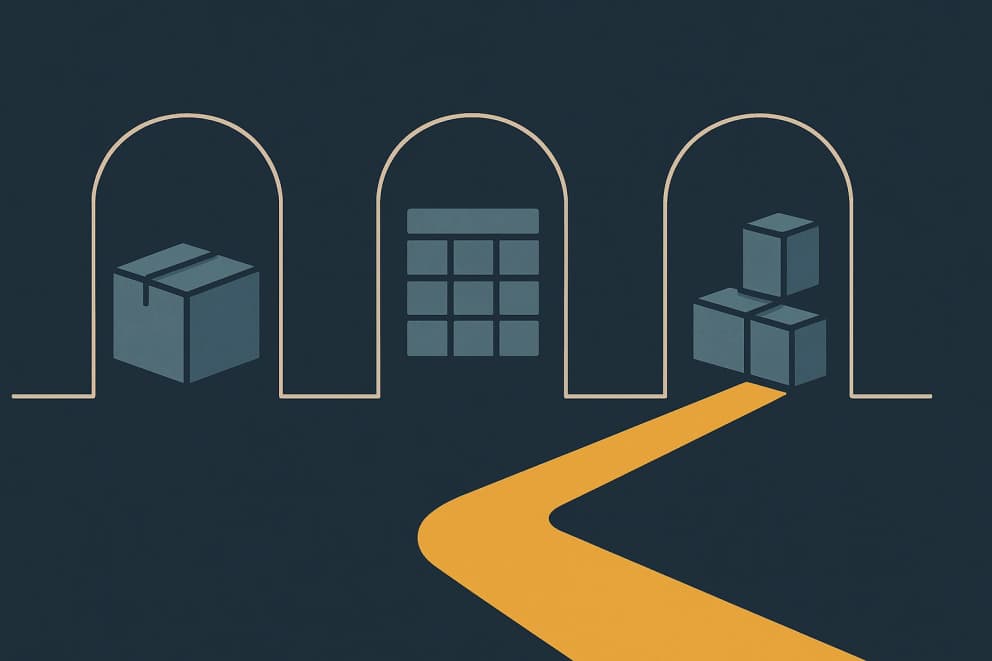
Consider building custom software when an off-the-shelf product supports the workflow that makes your business distinctive only through workarounds. When the standard fits, it is usually the better choice. For small, infrequent and low-risk tasks, a spreadsheet is often enough.
Off-the-shelf software is a ready-made product for workflows that many companies run in similar ways. Custom software is developed for the workflow of a single company. Sometimes a small automation or an AI agent working with your existing systems can handle the task.
The right answer is often a combination. At MAFU-SHERPA, commercial workflows stay in Microsoft Dynamics 365 Business Central. For machine configuration, we built a custom configurator directly in the ERP that turns customer requirements into bills of materials, routings and sales quotations.
AI mainly reduces the effort of building first software versions. That makes it worth comparing a custom option earlier.
Operation, maintenance, data quality and review remain part of the calculation. Using AI to develop the software and putting an AI agent to work inside it are two separate decisions.
The short decision guide
- Off-the-shelf software wins when the process is established and close to a common market standard.
- Custom software wins when the process is specific and closely tied to the business model.
- Spreadsheets are enough when the task is limited and low-stakes.
- Building it yourself with AI coding tools makes sense for a limited internal task when someone with technical judgment can own the result.
- Often the combination is right, meaning an ERP for the standard processes and a custom business app alongside it for the one workflow that sets you apart.
The rest of this guide explains the criteria. The custom software service describes how a suitable case moves into implementation.
Off-the-shelf software is strong when the process is not the reason your company is different. Accounting, simple CRM workflows, standard e-commerce, time tracking and many ERP core processes often benefit from existing products. Vendors have already solved typical roles, reports, permissions, integrations and updates.
The price is adaptation. Use a real case to separate habits from rules the result depends on. Changing a familiar work step may make more sense than building software to preserve it. If a central rule is missing, however, manual side processes and extra spreadsheets can follow. Compare a focused extension with the changes the standard product would need to support that rule.
Whether an existing customization has already gone too far shows less in the customization itself than in what has become necessary around it. These warning signs can be checked without technical knowledge:
- Every update needs special testing before it can be released.
- Changes only move through the same single expert or the original implementation partner.
- Data is maintained twice because the data model does not reflect the workflow.
- Exceptions live in scripts and spreadsheets that nobody has documented.
When several of these points apply, compare the testing effort of every release upgrade with the cost of an added business app that relieves the standard system.
When custom software is the better fit
Custom software is strong when the process is specific or closely tied to the business model.
Typical cases include quotation logic, variant and project manufacturing, partner portals, or an approval process that works differently in your company. A generic product can support these workflows only up to a point.
In project-based companies, the difference appears quickly. A standard ERP understands items, inventory, purchasing and sales, and it usually handles them well.
It does not know your quotation rules or technical variants, much less the connection between engineering, sales and service. If those workflows create the company's value, the software should not constrain them.
A second benefit is consolidation. When a workflow depends on several standard tools, add-ons, integrations and spreadsheets, each covering only part of the job, people end up entering data twice and handing work over manually.
Custom software can bring that work into one coherent system with the functions the company needs, instead of changing the process to fit a generic product. Cost is only one argument; process fit and ownership continue to matter over the years.
What AI changes in the make-or-buy decision
With AI-assisted custom software, AI helps during development. The finished application can still run entirely on fixed rules. An AI agent, by contrast, reads and assesses changing inputs during everyday operation. You can evaluate these cases separately:
- The rule is settled: a calculation, reservation or file conversion belongs in verifiable software or a fixed automation. AI can help develop it without deciding its results later.
- Every case brings different information: consider an AI agent when the task involves reading sources, comparing details and preparing a draft. Decide who checks the result before it is used.
- The required access is missing: check the interfaces of your existing programs first. Custom software becomes necessary only when those cannot support the task reliably.
The cost question shifts along with it. For a long time, the reflex was that off-the-shelf software is always cheaper than custom software, and that no longer holds. What matters is not the purchase price but what a system costs across three years. Compare per-user licenses, implementation, customization and vendor lock-in with development, ownership and maintenance. Once AI lowers the cost of the first versions, a business app designed for the workflow can come out cheaper over its lifetime than a standard product that never quite fits the real process. How Much Does Custom Software Cost? shows how to make that comparison.
In fairness, it is worth saying where AI does not save. What gets cheaper is mainly the first versions and the iterations on top of them. Operation, maintenance, data quality and review stay real work, and a cost calculation that sees only the fast prototype leads astray.
None of this replaces architecture. The faster code appears, the more important TypeScript, automated tests, code reviews and clear data ownership become, because otherwise mistakes multiply exactly as fast as the features do. Without that discipline, AI speed turns into technical debt within months. We cover this in more detail in How to Stay in Control When AI Writes Code.
AI agents can work inside existing tools, use the APIs of an off-the-shelf system or act through a custom business app. The right approach depends on the workflow. What matters is whether the agent can access the necessary data and actions, with permissions and review that match the risk. How we set an agent up and accompany it into everyday use is described under deploying AI agents. Custom software is one option when the standard product does not provide that foundation; it is not a general prerequisite for a useful agent.
When you can build it yourself with AI and when you should not
If AI lowers build cost that much, one question follows: can you just build it yourself? For a limited internal tool with manageable consequences, often yes. AI coding tools, from vibe-coding environments to agents like Codex or Claude Code, produce usable first versions when the task is contained, few people use it, no sensitive data is involved and a mistake is cheap. In those cases we explicitly recommend trying it yourself instead of turning it into a project.
It gets harder once the software becomes business-critical, meaning once several people work with it, sensitive data is involved, or the thing is expected to run for years. Total cost is then driven by precisely the parts AI tools alone do not deliver, namely architecture, tests, permissions and maintainability. Code appears in minutes, but someone has to stand behind the claim that it is correct and secure, which is what staying in control when AI writes code is about. At that boundary, having it built pays off more than building it yourself.
When spreadsheets are still enough
Spreadsheets are not a failure. They are flexible and appropriate for many one-off analyses. A spreadsheet is often the right choice when only a few people are involved, the data volume stays small, no sensitive permissions are needed and errors do not create major financial or operational consequences.
Spreadsheets only become a problem when they quietly turn into the unofficial system. Everyone knows the warning signs: several versions of the same file, hidden formulas only one person understands, and reports whose data source nobody can name any more. By that point the spreadsheet is operational risk.
The comparison framework
- Process fit: Does a standard system really support the important workflows or only a generic demo?
- Change speed: Will the process change often, and will the team need fast adjustments?
- Data criticality: Are customer data, financial data, inventory or operational decisions involved?
- Integrations: Which systems need to exchange data and how reliable does that exchange need to be?
- Total cost: Include licenses, implementation, customization, internal effort, training and ongoing maintenance.
- Control: How important are your own roadmap, your own data access and independence from vendor limits?
- Security: Which roles, tenants, audit trails and recovery processes does the workflow need?
A practical example
At MAFU-SHERPA, CERTAINCE introduced Business Central for the standard commercial and operational workflows. We built a custom configurator directly inside Business Central for the complex product configuration. Master data, orders and accounting stay in the same system; custom rules extend the part the standard product could not cover adequately.
Our work on MAFU-SHERPA ERP and CPQ left us with one rule: isolate the distinctive task before deciding to build a new system. A focused extension inside the ERP fitted this case. A separate business app is another option when the existing application cannot sensibly accommodate the extension. AI-assisted development does not change that choice.
How to make the decision
Take one real case from your business and write down how the work happens today.
Compare off-the-shelf software, a small automation, an AI agent and custom software against the same case. Record the exceptions, name the authoritative system for the data and calculate total cost across three years. The differences show where the standard product fits and where another approach becomes useful.
Buy, build or keep the spreadsheet
The best answer is rarely the ideological one. Buy off-the-shelf software when the process sits close to standard, and keep your spreadsheets by all means while the task stays small and low-risk. Custom software earns its place where the workflow is specific and business-critical and the standard product would only work through workarounds.
If you are unsure, please do not start with a large vendor selection project. Take one concrete process, realistic sample data and a short prototype. That tests the decision against the real workflow rather than deciding it on paper.
What is the difference between off-the-shelf software and custom software?
Off-the-shelf software is a ready-made product for common processes across many companies. Custom software is built for a specific workflow in one company. The standard product starts with a common process, while custom software starts with the process the company actually uses.
What is custom software development?
Custom software development means building software for one company's workflow instead of buying a ready-made product. The result is custom software. It can be a separate business app or an extension that runs directly inside a standard system such as an ERP.
How much does custom software cost?
Cost depends on workflow scope, integrations, data quality, security requirements and the operating model. The cheapest start is a narrow prototype on the real workflow, one your team tries immediately. A production-ready business app also needs architecture, tests, permissions, deployment and maintenance.
When is custom software worth it?
Custom software is worth considering when a workflow is business-critical or so specific that standard software fits only through workarounds. Typical cases include variant manufacturing, project-based operations, special quotation logic, partner portals and data flows across several systems.
Can I just build software myself with AI?
For a limited internal tool with manageable consequences, often yes: AI coding tools like vibe-coding environments, Codex or Claude Code build usable first versions. But once the software becomes business-critical, involves multiple users, sensitive data or integrations, and has to be maintained for years, architecture, tests, reviews and ownership decide total cost. Then having it built usually beats building it yourself.
What are the disadvantages of off-the-shelf software?
Off-the-shelf software can standardize processes and lower implementation cost. The disadvantages appear when the process does not fit: workarounds, manual side processes, expensive customization, vendor lock-in and data models that cannot represent the workflow rules and exceptions cleanly.
Should we customize standard software or build something new?
Customize standard software when the deviation is small and maintainable. Build custom software or add a custom business app when central workflows would otherwise depend on fragile customization, spreadsheets or manual handovers.
Bring the one workflow where the standard product only works through workarounds in your company, and let us discuss a concrete workflow on that basis.