
Quality Control for AI Work: Six Building Blocks That Let You Hand Over More
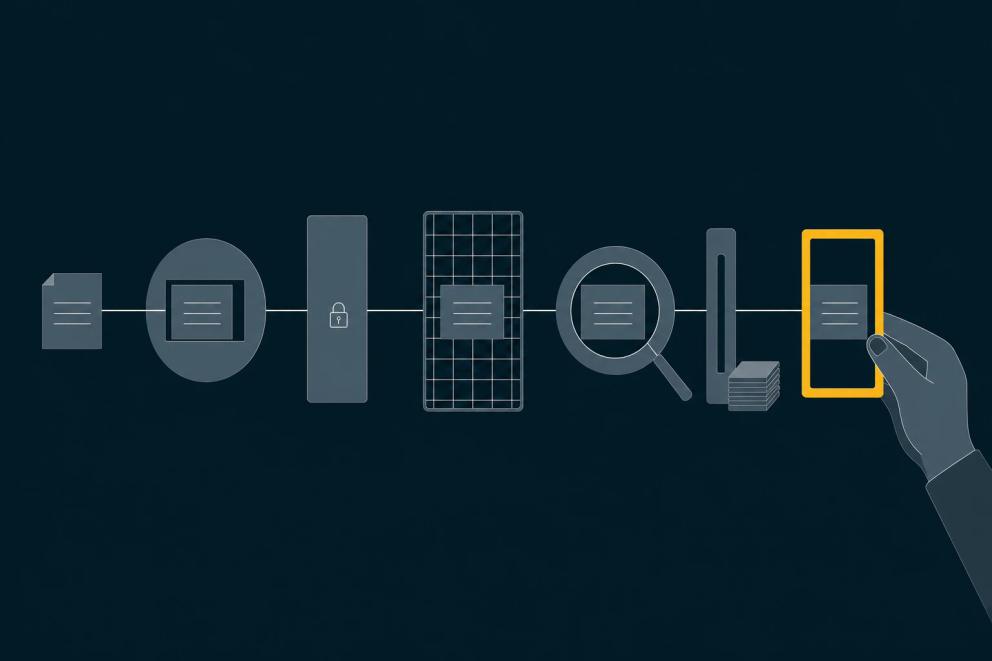
Anyone handing work to AI soon arrives at the same thought: "Then I'll have to check everything myself again." The objection has a real point. The more you hand over, the less you can watch. You read an answer in a chat word for word. When AI produces a monthly report from your figures, you no longer see the individual steps.
Watching is replaced by controls that catch particular mistakes before the result reaches you. We distinguish six such building blocks. Each one takes one kind of mistake off what you have to check at approval. What reaches you has then already been checked and comes with its sources and open points.
Our article on the six levels of working with AI describes what AI takes on at each level. This article is about what makes each step safer. We use the same two examples: the monthly management report and a quotation. The quotation remains a hypothetical example.
1. Exact values come from your systems
Prices, figures and dates come from your systems and templates, not from AI. AI writes what needs judgment and language: explanations, reasoning and descriptions of the work. If a value is missing from the source, the place stays open and is flagged. AI therefore never has to guess a figure.
In the monthly report, every figure comes from the approved data. AI explains the variances and takes the figures for them from the source. In the hypothetical quotation, prices sit in the price list and terms in the template. If a line item has no price, the field stays empty and the question comes to you. Our article on AI quotation drafts explains why an empty, flagged price field is better than a plausible figure.
In our own quotations, the hourly rate and terms of business sit in the template. AI writes the scope of work and the reasoning.
2. The tool refuses what was not checked
An instruction to AI can be overlooked. A block in the tool applies every time. We therefore enforce important rules at the point where AI saves or passes on a result. The tool then refuses whatever is not allowed or has not been checked.
For the monthly report, storage can be set up so that a report without passed checks cannot reach the folder for approval. In the hypothetical quotation example, the tool may only create drafts. AI cannot send anything with it.
For clients listed in our records, our tool refuses to save a message as a draft until exactly that text has passed a review. A document changed after its review is refused at handover.
3. Automatic checks with fixed rules
Some mistakes a program can find without any judgment. It checks whether totals add up, whether required details are present and whether the form is right. This needs fixed rules and no AI. Such checks run the same way on every result.
In the monthly report, a calculation check compares the figures with the sources. In the hypothetical quotation, a program checks whether the line items add up to the total and whether delivery time and validity are stated. A forgotten placeholder also shows up.
For the financial plan we develop with AI for a manufacturer of CNC automation, a program compares the result with the budget and looks for errors in the formulas. Only when it finds none is the plan filed. Our own messages are checked by a program for forgotten placeholders, quotation marks and form of address, among other things, before a second AI reads them.
4. A second AI checks against the sources
Whatever cannot be put into a fixed rule is checked by a second AI. It took no part in the draft and comes from a different provider than the AI that wrote it. It reads the finished result next to its sources, looks for statements those sources do not support and reports what it finds. Anyone rereading their own work reads it as it was meant. That holds for people and for AI.
In the monthly report, the second AI checks whether the figures support the explanations. In the hypothetical quotation, it compares the description of the work with the enquiry. It reports what is missing and what nobody asked for.
In our own work, this second AI usually comes from a different provider. It reads every message to clients and prospects, every public post and changes to code. Whatever it reports as a fault is fixed and checked again. Our article on the four-eyes principle for AI agents describes how we go about it.
5. A named person approves
The four building blocks before this one prepare your approval. They do not replace it. In the end a person decides, and that person is named in advance. Nothing leaves the company without their approval. When we do tasks for you, that person is someone in your company.
Approval gets shorter because the checks have already run. The result arrives with its sources, with what was checked and with the points that need your judgment. Control stays in the company, and your team stays familiar with the work.
Management approves the monthly report before it goes any further. For the hypothetical quotation, the person named for it decides on the quotation and whether to send it. One approval covers exactly one message. A mistake therefore stays a single event.
In our own work, no AI agent sends a message outside the company. For email, this is not only in the instructions: our agents' access to the mailbox has no permission to send. Our article on where AI agents fail explains why such a rule belongs in a permission. A person reads every draft and sends it themselves. A new version of our software goes live only once a person has approved exactly that version. Together with you, we record in a table which steps of a task need approval and who gives it. For each step, it names who does the step and which check covers it.
6. Logs turn corrections into rules
In workflows we build, every run leaves a log. It records which documents AI read, which instructions it worked with and what the check found. If a result is corrected at approval, the correction belongs in the source, the template, a check or the instructions. A chat in which someone once corrected the AI is not enough. The correction then sits where the next version is produced.
If management keeps changing the same wording in the monthly report, the rule goes into the instructions for the report. If sales adds the same delivery term to the hypothetical quotation every time, it belongs in the template.
The records also show when a task needs less review. A type of task gets less review only once its records show that its results are reliably correct. You make that decision. Anything leaving the company still needs approval.
In our own work, the message drafted by AI and the version eventually sent are stored together. We turn recurring corrections to forms of address, sentence structure or word choice into rules for the next drafts.
Which building block comes in at which level
The building blocks do not arrive all at once. Each level keeps the controls of the levels before it and adds its own. A task moves up a level only once that level's controls are in place. What AI does at each level is set out in the article on the six levels.
- Fragen (ask): You read and check every answer yourself.
- Anbinden (connect): AI sees only what the employee using it may see, and cites its sources.
- Begleiten (supervise): Write permissions are limited, and the tool refuses what AI may not change. You approve every change.
- Abgeben (delegate): Exact values come from your systems and templates. Automatic checks run, and a second AI reviews. You approve the result instead of every change. Nothing goes out without approval.
- Laufen lassen (let it run): Logs record what ran. Less review comes only after reliability has been demonstrated.
- Ziele setzen (set goals): You define the area in which AI may file tasks. Every task appears in a list that you can see and change.
From the fourth level, nobody watches every step. That is why most building blocks come in there.
How control stays small
Six building blocks sound like bureaucracy. Two rules keep them small. The first: for a new safeguard, we take the first place in this order that fits.
- A program supplies the value.
- The tool refuses a wrong value.
- An automatic check finds it in the finished result.
- The second AI looks out for it.
- An instruction to AI asks for it.
The higher up a safeguard sits, the less it depends on someone remembering it. Each rule lives in exactly one place. When a program takes over a rule, it comes out of the instructions.
The second rule: a new check is added only once we have seen the mistake it is meant to prevent. A check kept in reserve costs time on every result and may never find anything. Control thus grows with the mistakes that occur in your work.
What checks cannot do
The automatic checks and the second AI support your approval. They do not replace it. A check finds only the mistakes it can detect. A calculation check does not notice an explanation that misses the point. A second AI also misses things sometimes.
On our own website, a passed check missed a fault. It confirmed a button's appearance and left its behaviour during scrolling unchecked. A second AI found the fault by reading the finished code. Our article on what "all checks passed" is worth describes what follows from this.
The building blocks make the next step safer. They do not make AI work free of mistakes. That is why approval comes at the end.
What this means for your company
We set up these controls with you, in your company's tools and accounts. How many building blocks a task needs depends on what a mistake costs. An internal note needs fewer than a quotation to a client.
Where your team already keeps a task list, that list becomes the place where work is handed to AI and the result is approved. There you see what is waiting for your approval.
If there is a task you would like to hand over, we will look together at the control it needs.